
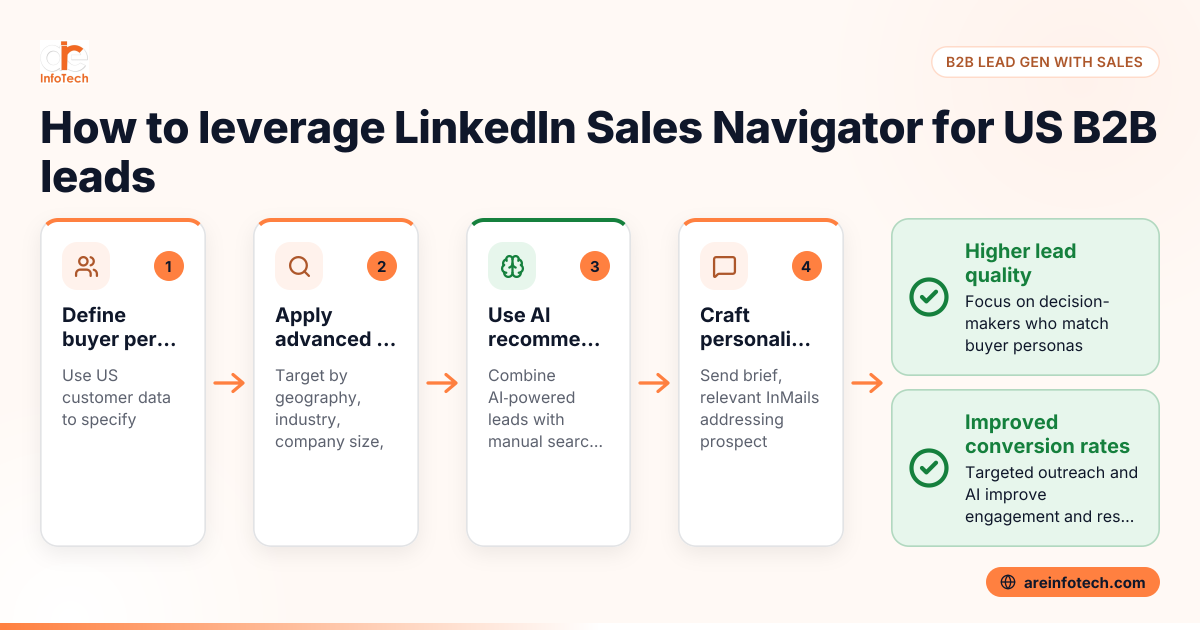
LinkedIn Sales Navigator is a premium tool designed to help businesses in the United States find and connect with qualified B2B leads more effectively. It allows you to target specific industries, roles, and companies, making your lead generation process personalized and precise.
LinkedIn Sales Navigator is a subscription-based sales platform that enhances LinkedIn’s native features with advanced search capabilities, lead recommendations, and CRM integrations. For US businesses, it provides access to over 200 million professionals, enabling targeted prospecting by industry, job title, company size, location, and more.
Using LinkedIn Sales Navigator for B2B lead generation in the United States helps sales teams save time by zeroing in on decision-makers likely to need their products or services. This focused approach increases conversion rates compared to broad, untargeted outreach on the platform.
Creating accurate buyer personas is the foundation of successful B2B lead generation on Sales Navigator.
A well-crafted persona guides your search and messaging, ensuring your B2B lead generation efforts resonate with US business prospects.
LinkedIn Sales Navigator offers numerous filters to narrow your search. To find relevant leads in the US, focus on:
Using these filters ensures your prospect list is relevant, increasing your chances of positive responses.
AI-powered LinkedIn Sales Navigator analyzes your previous searches, saved leads, and engagement to recommend prospects similar to your ideal customers. This feature brings hidden opportunities by identifying relevant companies and professionals you might miss with manual searches.
To leverage this:
Using AI LinkedIn sales tools helps US businesses stay competitive by speeding up lead discovery and improving lead quality.
The CAN-SPAM Act and Telephone Consumer Protection Act (TCPA) impose rules on business communications to avoid spam and unauthorized contact. Even though LinkedIn messaging is less regulated than email or phone, best practices include:
Adhering to US compliance laws maintains your company’s reputation and protects it from legal risks.
Personalization and relevance are key. Use InMail to send short, clear messages that:
For example:
Hi [Name], I noticed your team at [Company] recently expanded in Houston’s manufacturing sector. We help companies streamline supply chain management and reduce costs. Would you be open to a quick call next week to explore this?
Avoid generic pitches and focus on building relationships rather than hard selling from the start.
Integrating Sales Navigator with your CRM (e.g., Salesforce, HubSpot) ensures lead data syncs seamlessly. Steps include:
This integration enables sales teams to manage their US B2B leads efficiently and maintain consistent communication.
Absolutely. LinkedIn Sales Navigator complements content marketing, email campaigns, and paid advertising to create a multi-channel approach.
ARE InfoTech specializes in digital strategies combining LinkedIn Sales Navigator with other marketing channels to maximize B2B lead generation for US companies.
LinkedIn Sales Navigator pricing varies based on subscription type (Individual, Team, Enterprise). Pricing details are available on LinkedIn’s US site. Many US companies start with the Individual plan for a single user before scaling.
Basic LinkedIn familiarity helps, but training on advanced search filters, messaging etiquette, and CRM integrations maximizes results. Some US businesses invest in sales enablement training or consult experts like ARE InfoTech.
Yes. Sales Navigator suits SMBs targeting niche markets and large enterprises managing broad outreach. The key is customizing filters and messaging based on business size and goals.
Review and update saved leads monthly to remove irrelevant contacts and add new prospects. Buyer personas should be revisited quarterly, especially if your industry or product focus changes.
Common errors include overreliance on generic messaging, ignoring AI lead suggestions, and neglecting CRM integration. Also, failing to comply with US communication laws can harm your brand.
AI analyzes your interactions and patterns to predict leads most likely to engage. It recommends targeted prospects and optimizes your search filters, making lead generation smarter and more efficient.
Leveraging LinkedIn Sales Navigator for B2B lead generation in the United States requires a strategic approach rooted in clear buyer personas, compliance with communication laws, and smart use of AI features. By adopting these practices, US businesses can find quality leads faster and build stronger professional relationships. For expert support in optimizing LinkedIn and digital marketing efforts, consider consulting the ARE InfoTech team.
For more insights on B2B lead generation and advanced digital marketing tactics, explore the ARE InfoTech blog and related guides.
Google Reviews


